Cameron Main
Hardware Game Radio
A Rust and ESP32 project for turning user-owned audio libraries into a standalone, GTA-style hardware radio that streams audio wirelessly over Bluetooth A2DP.
The radio in action, connected to a Bluetooth speaker.Description
I wanted to explore what it would take to recreate the feeling of an in-game radio station as a physical object. Rather than building a normal music player with a list of files, this project treats every station as a continuously advancing broadcast, just like radio stations in games and in real life. If the current song is not for you, you tune away and search for another station that happens to be playing something you enjoy; but that choice has a trade-off, because you may miss a song you liked that was playing on another station. The desktop compiler and ESP32 firmware work together to make that real-time, metadata-driven experience possible through a physical tuning knob.
The finished device reads a structured /RADIO package from a microSD card. Games can expose multiple stations, while collections without dedicated stations can use a sequential tracklist mode. In radio mode, playback is treated as a station timeline instead of starting from the beginning every time it is selected.
This is an audio player that simulates a radio experience, not an RF transmitter or receiver. The ESP32 works as a Bluetooth Classic A2DP source, allowing the finished radio to send its audio wirelessly to a paired Bluetooth speaker or headphones. It also supports a wired 3.5 mm AUX connection, so the radio can connect directly to powered speakers, an amplifier, or a car stereo.
The compiler is designed around user-supplied media and does not distribute copyrighted audio.
Using the Radio
The whole device is operated from a single rotary knob with an integrated push button, so the radio never needs a menu or a touchscreen. Rotating the knob is the main way to move around the collection: each click steps forward or backward through the stations, and the round TFT display updates with the current station's artwork.
A short press switches between two navigation levels. In station mode the display shows station logos, and rotating the knob cycles through the stations of the currently selected game. Pressing once switches to game mode: the artwork changes from station logos to game logos, and rotating the knob now cycles through the games on the card. Pressing again selects the highlighted game and returns to that game's station list, ready for the user to cycle those stations.
Bluetooth pairing uses a long press. Holding the knob down enters pairing mode, where the radio discovers nearby Bluetooth devices and lists them on the display. Rotate to select your speaker or headphones, press to confirm, and accept the pairing on the device itself; once it connects, audio begins playing. The chosen device is remembered, so the radio reconnects automatically on later boots but the same long press is always there if you ever want to pair a different speaker.
Development Approach
The central design decision was to keep filesystem inspection and heuristics off the microcontroller. The PC has the resources to inspect unfamiliar folders, measure audio, match station names, and prepare artwork, while the ESP32 receives a predictable format that it can load with limited memory.
The pipeline is split into three clear stages:
- Resolve: scan game folders, identify stations with known keywords and fuzzy matching, measure durations, and find suitable artwork.
- Compile: transcode audio with FFmpeg, generate deterministic JSON metadata, normalize filenames, and prepare TFT-compatible RGB565 images.
- Play: load the generated package on the ESP32, navigate the indexed stations, and stream the selected track through the audio pipeline.
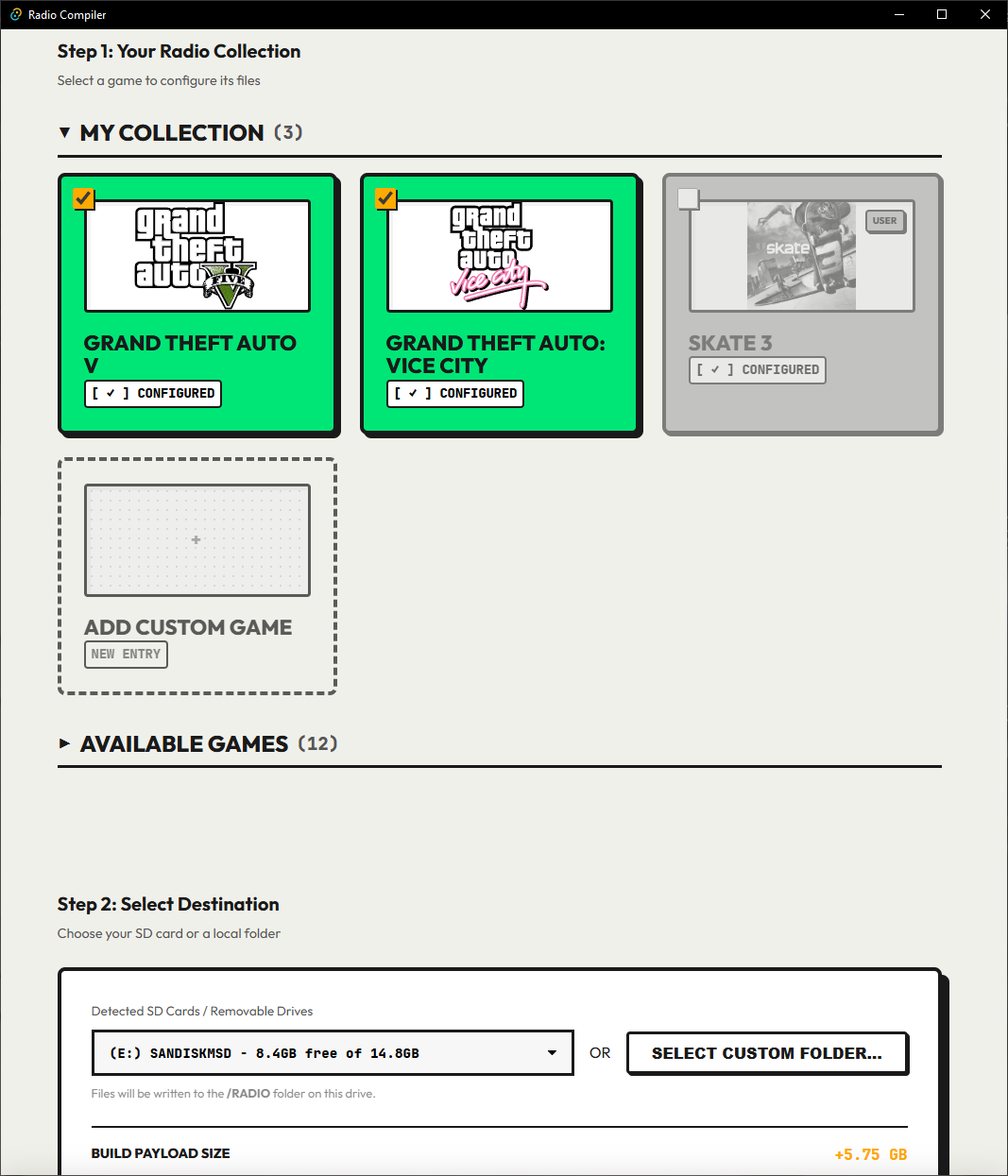
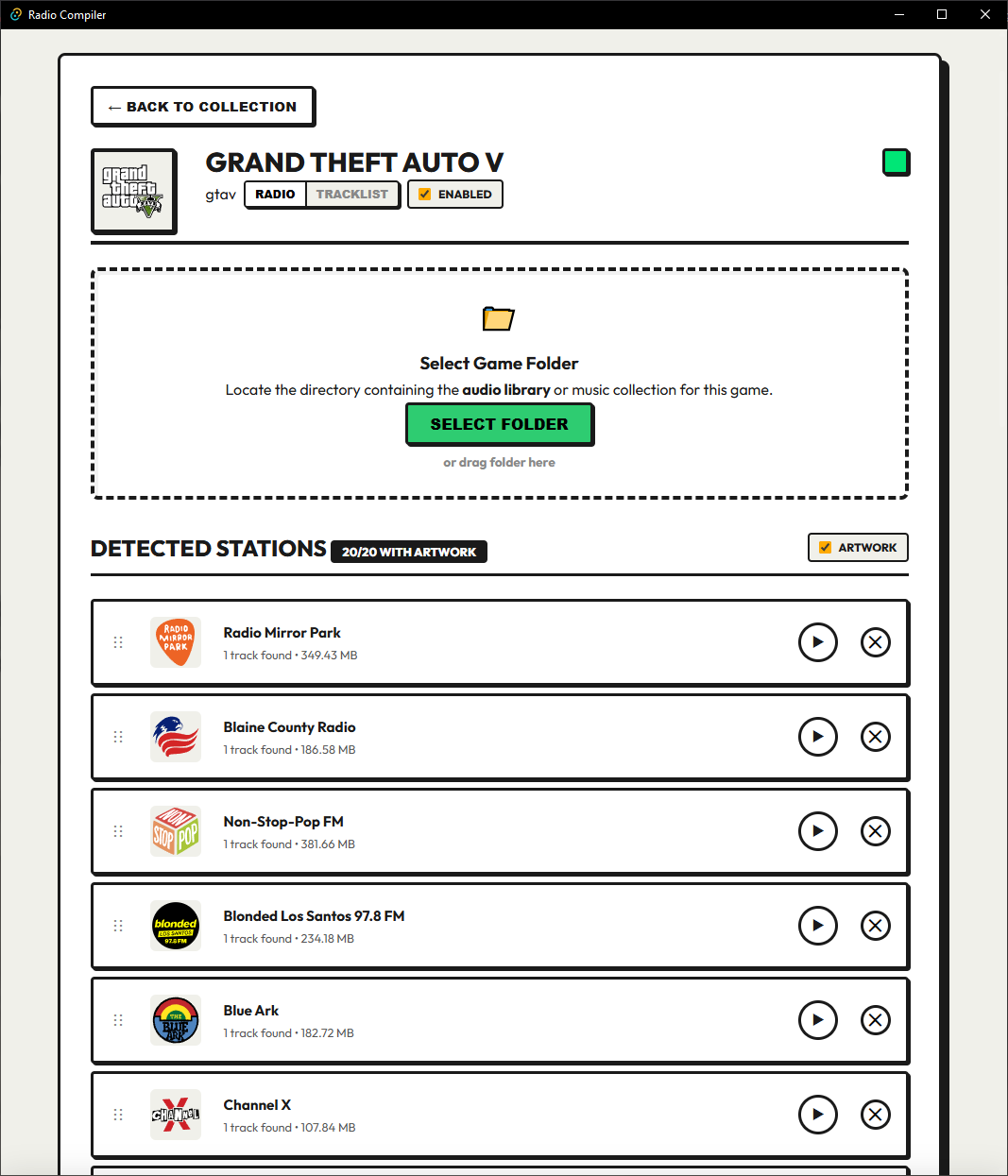
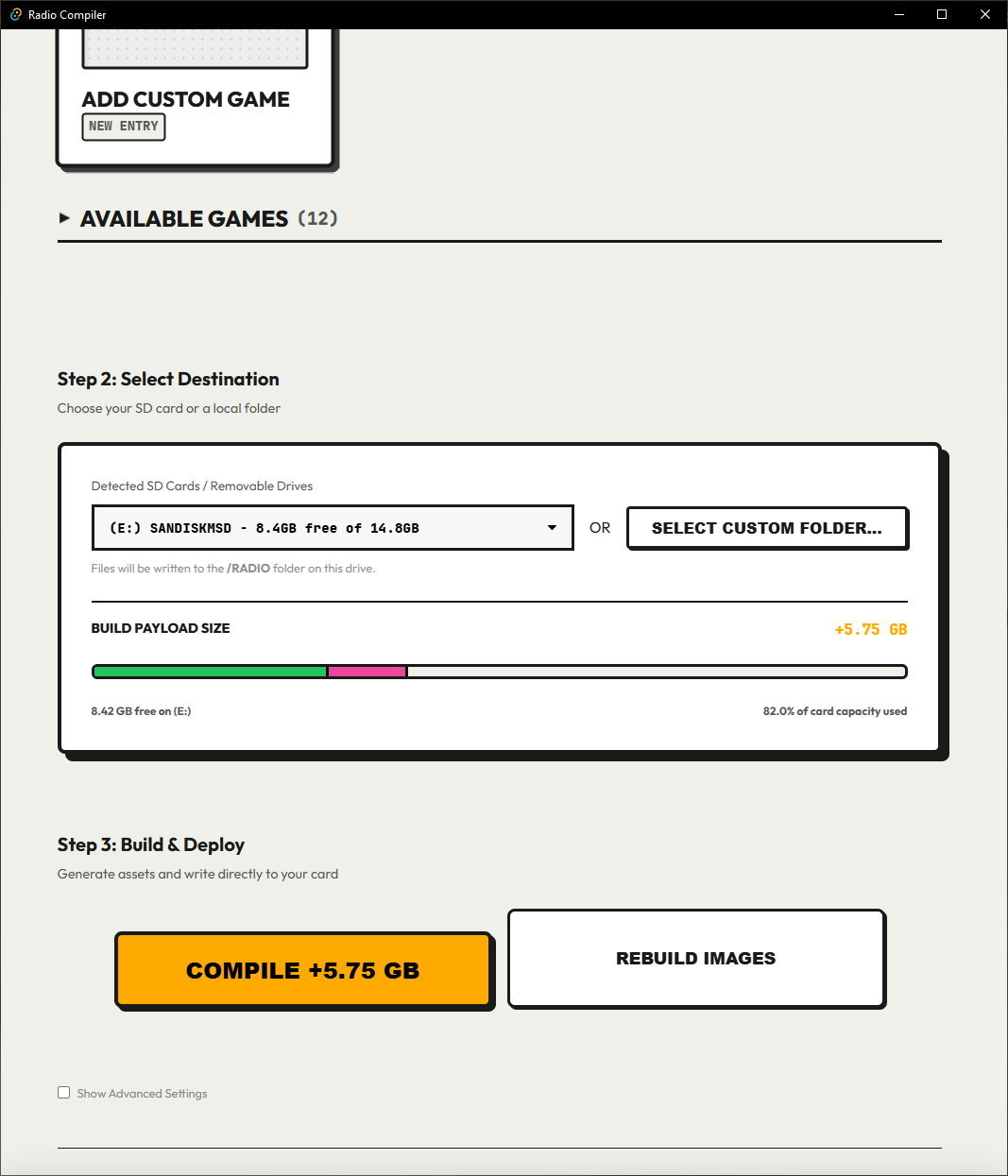
The Tauri interface makes those stages accessible without requiring users to edit the manifest by hand. It supports folder scanning, station name and artwork overrides, drag-and-drop configuration, destination selection, incremental builds, and a separate image rebuild path when audio does not need to be touched.
Device Data Contract
The compiler emits a deliberately simple directory structure so that the firmware can make decisions from metadata rather than guessing from filenames:
/RADIO
└── games/
    └── gtavc/
        ├── game.json
        └── stations/
            └── 01_flashfm/
                ├── station.json
                └── audio/
                    ├── track_01.mp3
                    └── track_02.mp3
Each station records its playback mode, track paths, and durations. Artwork is stored alongside the station or shared at game level, including a raw RGB565 version for the round TFT display. The firmware can therefore load the package without probing audio duration or performing fuzzy metadata discovery on the device.
Embedded Playback
The ESP32 runtime indexes games and stations from the SD card, parses the generated JSON, and streams MP3 audio through a buffered playback path. Once the decoder produces PCM samples, a custom AudioOutputA2DPPipe feeds them into the Bluetooth A2DP source. The TFT display presents the current game, station, and artwork, while a rotary encoder provides the physical navigation model that makes the device feel like a radio rather than a file browser.
Radio and tracklist modes intentionally behave differently. Radio mode seeks into a station's virtual timeline and persists the selected playback state. Tracklist mode advances sequentially through generated track paths, which keeps large soundtracks out of the firmware's static JSON document. Playback failures also trigger recovery attempts rather than leaving the device stuck on an unreadable file.
Bluetooth Audio Output
Bluetooth is the device's primary audio output. The firmware starts a Bluetooth Classic A2DP source, discovers or reconnects to a paired target, and reports connection and audio-state changes while the radio is running. Switching targets is treated as part of the radio UI: the user can select a Bluetooth device, persist the choice, and reconnect it on a later boot.
This approach keeps the physical prototype compact and flexible. Instead of designing the enclosure around a particular speaker or DAC, the ESP32 can send the same buffered stereo stream to the listener's existing Bluetooth headphones or speaker. It also made connection recovery and audio buffering important engineering concerns alongside the station and display work.
Engineering Challenges
- Keeping JSON documents and path lengths within the ESP32's constrained memory and filesystem limits
- Preventing SD-card reads and decoder work from starving the Bluetooth audio stream
- Making station changes flush buffered samples so audio from a previous game cannot bleed into the next one
- Supporting incremental compilation without leaving orphaned station folders on the destination
- Converting arbitrary artwork into a consistent format for a small round TFT screen
These constraints led to a useful separation of responsibilities: the compiler can be relatively sophisticated, while the firmware stays focused on loading, playback, recovery, and interaction.
Future Enhancements
The next steps are getting a custom PCB made and designing a 3D-printed shroud and case for the device, with the end goal of mounting it in a car as that's the intended use case. I'm currently without a 3D printer, so the timeline on the enclosure is uncertain, but the PCB design and firmware polish continue in the meantime.